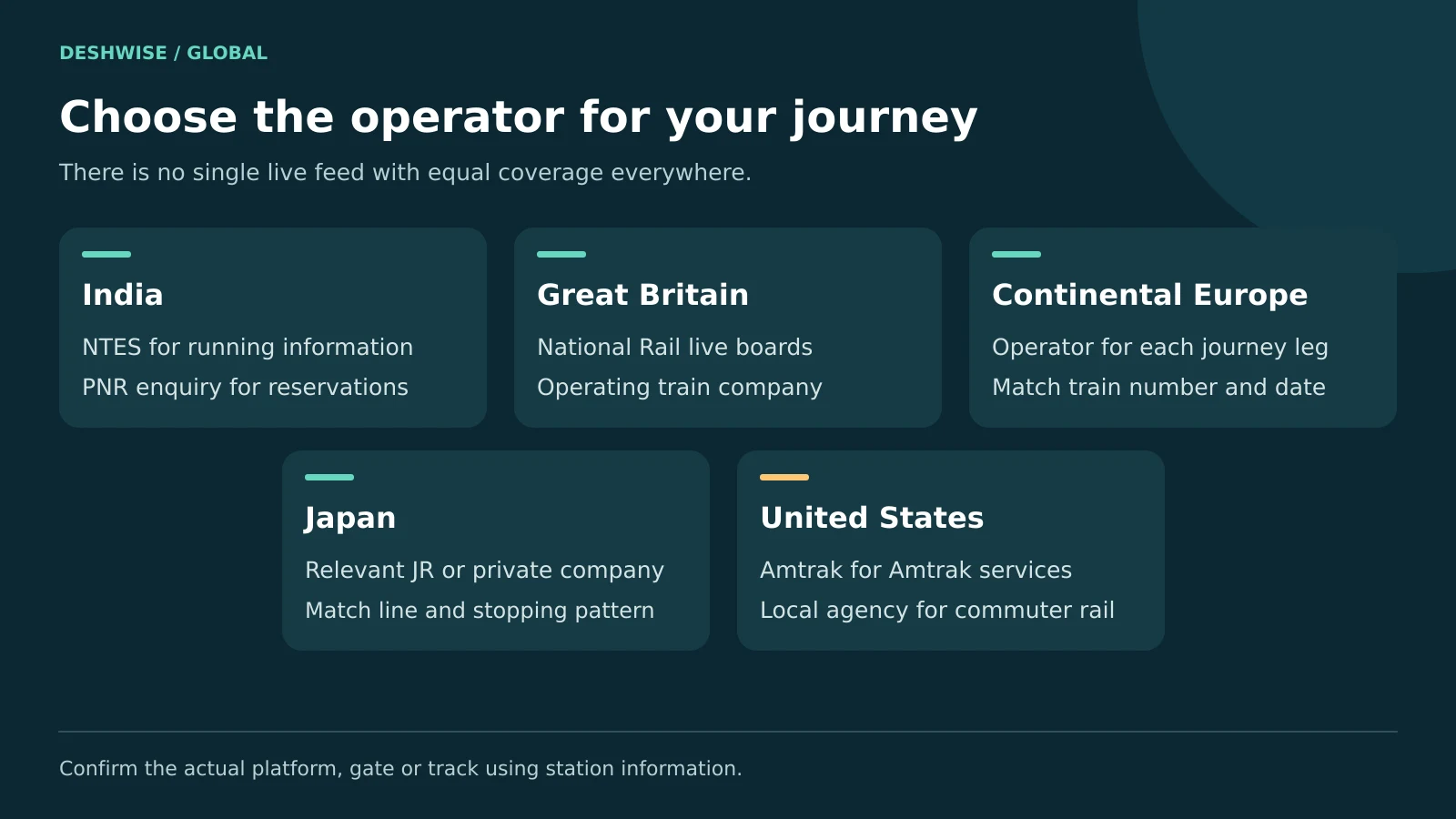
To answer “where is my train,” enter its number or route and the correct journey date in the railway operator's official live-status service. In India, start with NTES for running information; in other countries, use the relevant national rail service or train company, then confirm boarding details at the station.
Quick Answer
- In India, use NTES for train running status and an official reservation service for PNR status.
- Check the train's origin date, especially for overnight journeys.
- Read the latest update time as well as the estimated arrival.
- Platform numbers can change; confirm on station displays and announcements.
- If a service is cancelled, check your ticket's official rebooking and refund rules before buying alternatives.
1. Where Is My Train: choose the correct status service
Live train status, a timetable, and a ticket reservation answer different questions. A timetable shows the planned service. Running status reports what has happened and what is currently expected. Reservation status concerns your booking and, where relevant, your seat or berth.
Start with these details from your ticket:
- Train number or service name.
- Departure station and destination.
- Your boarding date and scheduled departure time.
- The train's origin date if it began its trip earlier.
- Booking reference or PNR when checking the ticket itself.
A train name alone can produce the wrong direction or a similarly named service. Station names can also repeat across cities or countries. Match the station code or full station name before trusting a result.
| Location | Start with | Details to enter | What to confirm locally |
|---|---|---|---|
| India | NTES and official reservation enquiry | Train number, origin date, boarding station; PNR separately | Platform, coach position, boarding changes |
| Great Britain | National Rail and the operating train company | Station, date, time, destination | Platform and any altered calling pattern |
| Continental Europe | The operator for each journey leg | Train number, date, stations | Platform, connections, cross-border disruption |
| Japan | Relevant JR company or private railway | Line, service, direction, date | Platform, stopping pattern, operating notices |
| United States | Amtrak for Amtrak services | Train number or station pair and date | Gate, track, boarding arrangements |
This is a guide to finding information, not a live detector. It cannot identify your train without your journey details or promise that an estimate will stay unchanged.
2. Check live train status in India with NTES
The National Train Enquiry System is an official Indian Railways enquiry service. Its tools include running information, station enquiries, schedules, and exception information. Labels can change between the website and app versions.
Step-by-step NTES check
- Open the official NTES service or its verified app listing.
- Choose the running-status tool, commonly called Spot Your Train.
- Enter the correct train number or select a matching train name.
- Choose the train's start date when requested.
- Find your boarding station in the route.
- Read the reported location, actual timings, estimates, and update time.
- Check exception notices for cancellation, diversion, or rescheduling.
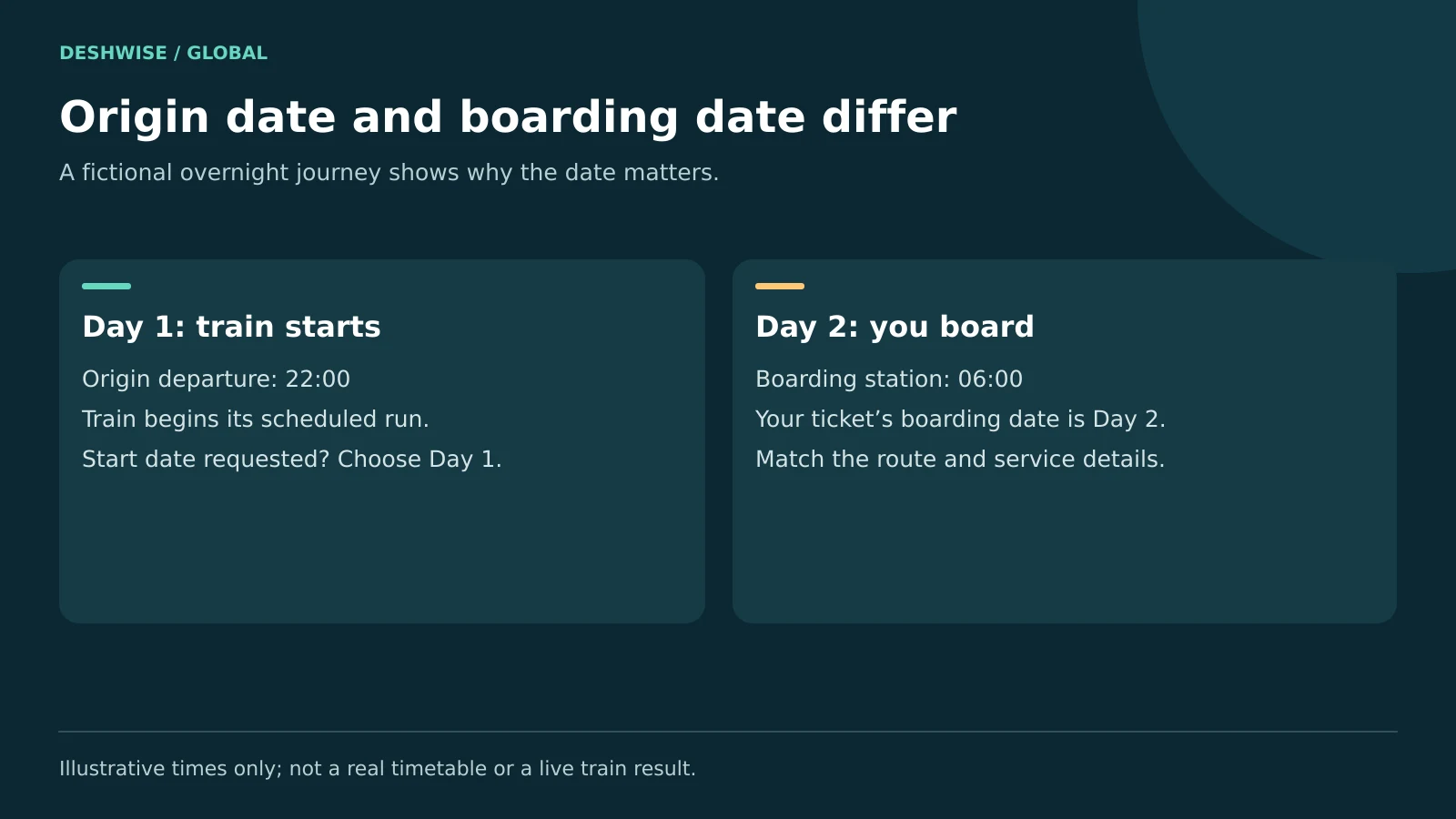
A service can run across more than one calendar day. If you board after midnight, the train may have started the previous day or earlier. Follow the date label in the tool and compare the route with your ticket.
Do not select today's origin date automatically because you are travelling today. That can show a different run of the same numbered service.
If the website is busy, retry or use another official channel such as station enquiry. A second app can help compare information, but two apps may use related feeds. Agreement does not prove two independent confirmations.
3. Understand IRCTC, PNR, and booking status
IRCTC is an important ticket-booking service, but “IRCTC train status” is often used loosely in searches. For clarity, separate your booking from the train's movement.
A PNR is the reservation reference for an Indian Railways booking. Check it through your booking account or the official Indian Railways Passenger Reservation Enquiry service.
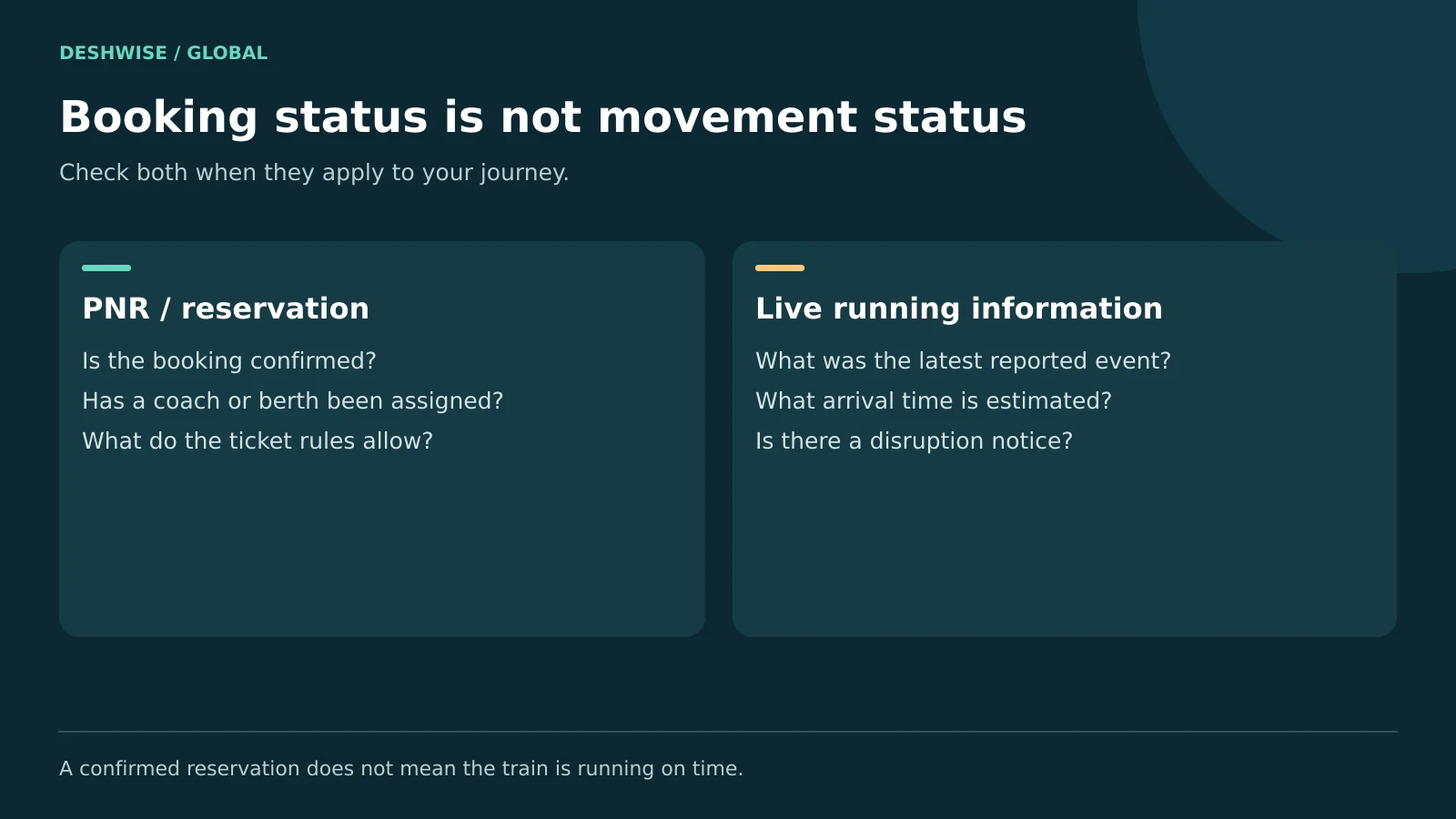
The result can show reservation details such as booking status, current status, and coach or berth information when assigned. A confirmed reservation does not mean the train is on time. A running-status result does not prove you have permission to board.
Read reservation labels carefully
Common labels include confirmed, RAC, and waitlisted. Their meaning and boarding implications depend on the ticket type and current official rules. Check the final applicable status and instructions rather than relying on an app's prediction of confirmation.
Do not assume a waitlisted e-ticket and a counter ticket work the same way. If uncertain, ask the railway before boarding. A prediction percentage is not a confirmed allocation.
Keep your ticket and required identification available, but avoid posting a full ticket screenshot online. It may expose names, journey details, and a booking reference. Use official support channels rather than sharing a PNR in public comment sections.
4. Use the Where Is My Train app with realistic expectations
The Where Is My Train app is a separate tool from NTES. To avoid lookalikes, check the developer on the current Google Play listing: Sigmoid Labs and its affiliates, with package identifier com.whereismytrain.android.
Its official store listing describes live train status and schedules. It also explains that, when travelling on a train, location detection can work using cell-tower information without internet or GPS.
That feature does not mean every phone can obtain a fresh nationwide live feed with no connection. It is especially important to distinguish on-board location detection from checking a distant train while sitting at home.
Before relying on offline train tracking:
- Install only from a trusted app store and verify the developer.
- Open the app before your journey and check the required route information.
- Review the permissions and the feature's current instructions.
- Note whether the displayed data is live, locally estimated, or cached.
- Keep a saved ticket and schedule as a backup.
Cell-tower coverage, phone settings, and route information can affect results. Offline functions are helpful backups, not a reason to ignore official disruption notices or station announcements.
Avoid assuming that every similarly named website or iPhone app is the same product. Verify the exact publisher and features on the platform you use.
5. Read delays, platforms, and route changes correctly
A good train delay status check involves more than reading a red number. Look at the station to which the delay applies and the time of the last report.
Scheduled, actual, and estimated times
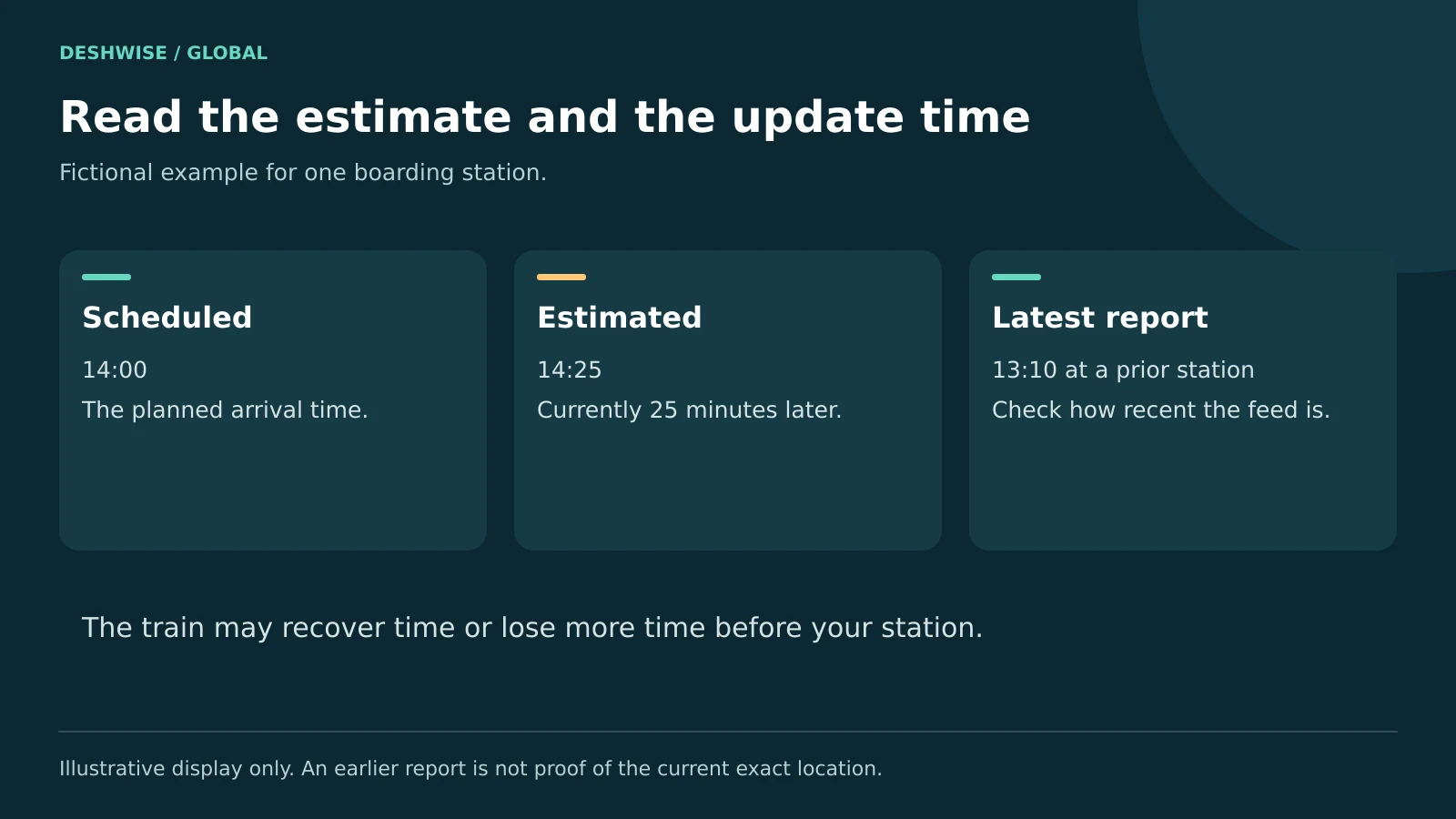
Scheduled means planned. Actual means the event has been recorded. Estimated means a prediction that can change.
For example, imagine a service scheduled at your station at 14:00, now estimated at 14:25. That means an estimated 25-minute delay at that station. If the last report came from a previous station at 13:10, the display does not prove the train is still there now.
A train can recover time or lose more time farther along the route. Your final arrival delay may differ from the current delay. Do not leave for the station based only on an earlier estimate.
Platform and coach information
Treat an app's train platform number as provisional. Check station displays and announcements when you arrive and again before boarding. At large stations, leave time for lifts, bridges, security procedures, and changes.
Coach position tells you where a carriage is expected to stop. It is separate from the platform number. Confirm the actual train and coach markings before boarding.
Cancellation and altered routes
A rescheduled train is expected to start at a changed time. A diversion follows a different route. A partial cancellation can remove part of the journey even though the train still runs elsewhere.
Check whether your station remains served. A moving map icon does not prove the train will call at your boarding point.
6. Find your train in the UK and Europe
Great Britain: National Rail and the train operator
Use National Rail live trains to look up departures or arrivals by station. Open the relevant service and check calling points, expected times, platform information when available, and disruption messages.
Match the scheduled departure and destination rather than just a similar-looking departure time. Some trains split, join, or skip stations during disruption. Verify which part of the train serves your destination.
National Rail covers Great Britain's mainline network. For Northern Ireland, use Translink; for metros and urban networks, check the responsible local operator. A London Underground disruption, for example, requires TfL information rather than assuming the mainline board covers everything.
Continental Europe: check each operating company
Europe has no single live-status service covering every railway equally. Use the operator for your actual leg, such as Deutsche Bahn, SNCF, SBB, Trenitalia, or ÖBB, and check its current app or website.
For cross-border trips, save every train number and identify the operator on each leg. A planning app may display a connection without providing complete real-time updates for every country.
Read station names carefully. A city may have several major terminals, and a cancellation can affect only one segment. Confirm whether the replacement is another train, a bus, or a different departure station.
Check the time zone for international journeys and daylight-saving changes. A 24-hour display avoids confusion, but it does not remove date or time-zone differences.
7. Check train operations in Japan and the United States
Japan: use the right railway company
Japan has several JR companies and many private railways. Identify the operator and line rather than assuming one national app covers every service in detail.
JR East's railway information portal links to official operating information. For other areas, use the relevant company, such as JR Central, JR West, or the private railway handling your journey.
A line-status page may report major disruption without showing each train's exact position. “No major notice” should not be read as a promise that your specific service is exactly on schedule.
For Shinkansen and limited-express travel, match the service name and number, destination, and departure time. Confirm the stopping pattern: trains using the same route may not stop at the same stations.
Station screens, signs, and staff are especially useful when services are suspended or through-running changes. Keep the station name in a form you can show to staff if pronunciation is difficult.
United States: Amtrak and local agencies
For Amtrak train status, use the official Amtrak website or app. Its app information page describes status, station details, and service alerts. Search by the requested train details or station pair and select the correct date.
A long-distance train may be running from an earlier departure day. Check the service details carefully when several runs appear. For time-zone crossings, follow the local station times and confirm any ambiguity with Amtrak.
Track and gate information may appear close to boarding time. Use the station's boards and staff instructions. For commuter rail or subway travel, use the local transit agency rather than expecting Amtrak to cover its services.
8. Act promptly if your train is delayed or cancelled
First, confirm the disruption with the operator and check whether your ticket allows a specific alternative. Do not assume you can board any train on the same route.
- Save the ticket and booking confirmation.
- Note the affected service, date, and actual arrival if you travel.
- Read the operator's replacement or rebooking notice.
- Ask about a missed connection or accessibility assistance promptly.
- Keep reasonable expense receipts and disruption evidence.
- Submit a claim through the correct official channel within its deadline.
In India, distinguish full cancellation from late running or partial cancellation. Refund handling can differ by ticket type and reason. Read the current IRCTC instructions before cancelling or filing a Ticket Deposit Receipt, commonly called a TDR. Do not assume a delay-related claim happens automatically.
In Great Britain, an unused-ticket refund and compensation for arriving late are different processes. National Rail directs passengers to the retailer for applicable refunds and to the responsible train company for compensation. Delay Repay arrangements and deadlines require checking the operator.
For EU journeys, passenger rights depend on the service and applicable rules; exemptions and exceptions can matter. Use the official EU guidance and operator information for assistance, rerouting, reimbursement, or compensation. Do not apply EU rules automatically to every European country.
In Japan and the US, follow the relevant operator's disruption and ticket policies. Before booking a hotel or taxi at your own cost, ask whether approval is needed and what expenses may be covered.
9. Prepare for poor signal, accessibility needs, and scams
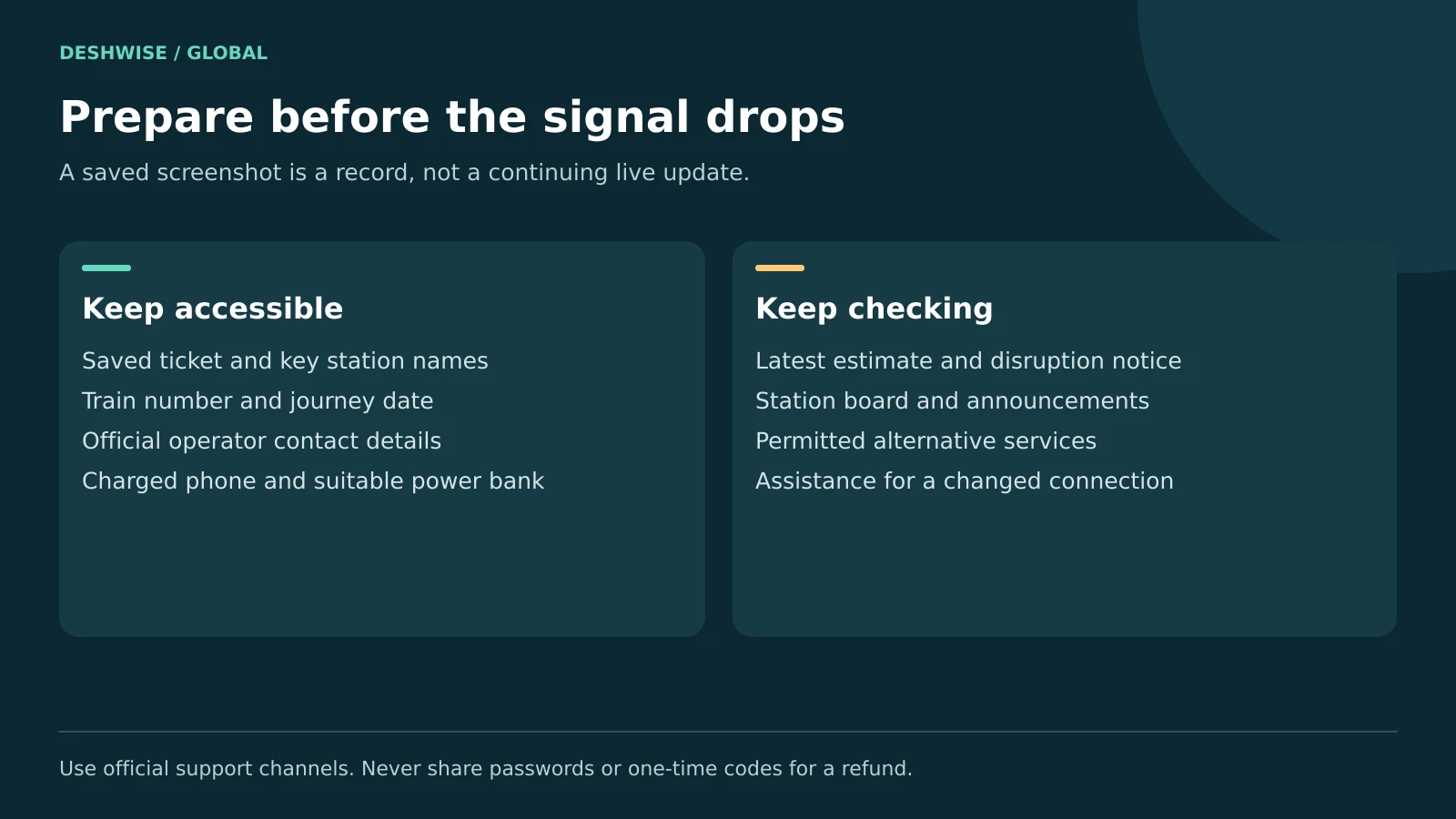
Charge your phone and carry a suitable power bank where permitted. Save the ticket, key station names, and operator contact information offline. A screenshot is a record of an earlier display, not a continuing live update.
Set alerts if the official service supports them, but keep checking important changes yourself. Notification permission, battery-saving settings, or weak signal can prevent a timely alert.
If travelling with children, limited mobility, or heavy luggage, allow extra transfer time. Arrange assistance through the operator's official process where needed. Ask staff for help rather than rushing down stairs because an app suddenly shows another platform.
Basic live-status checks are commonly available without buying a new ticket, although mobile data, premium app options, and service charges may apply. Check prices before authorising any payment.
Ignore unsolicited refund links that ask for passwords, card details, or one-time codes. Open the official app or type the operator's address yourself. Do not download an installation file from a message claiming you must update your ticket immediately.
Travel note: Running estimates, platforms, app features, and ticket rules can change. Check the official source close to departure and follow station staff instructions. Never cross tracks or board a moving train to recover from a delay.
10. Frequently asked questions
How do I check where my train is right now?
Use the railway operator's official running-status tool and enter the train number or route, date, and relevant station. In India, NTES is a useful starting point. Read the latest report time alongside the estimate, because a location shown on a page may describe the most recent recorded event.
Is PNR status the same as live train status?
No. PNR status concerns your reservation, such as whether it is confirmed and whether a seat or berth has been assigned. Live train status concerns movement, timing, and disruption. Check both before travelling when relevant, because a confirmed booking does not mean the service is running on schedule.
Can Where Is My Train work without internet?
The app's official Android listing describes on-board location detection using cell-tower information without internet or GPS. This is different from receiving fresh remote status for any train while offline. Check the feature's current instructions, permissions, and available route data, and confirm important changes through official railway information.
Which date should I choose for an overnight Indian train?
If the tool requests the train's start date, choose the date it left its origin, which may be earlier than your boarding date. Compare the route and timings with your ticket. Do not automatically choose today, because the same train number can have multiple services travelling on different start dates.
Can the platform number change after I check it?
Yes. An app or website may show an expected platform that later changes for operational reasons. Check the station's departure board and announcements, and ask staff if information conflicts. Leave enough time to move safely between platforms, especially if you need lifts or are travelling with children or luggage.
What should I do if a cancelled train causes a missed connection?
Contact the operator or ticket retailer promptly with your journey details and ask about permitted rerouting or rebooking. Protection can depend on whether the legs form a through-ticket or separate bookings. Keep the original tickets and disruption evidence, and check the applicable rules before paying for replacement travel yourself.
11. Your next step
The best way to answer “where is my train” is to match the exact service and date, use the official live-status source, and check the latest update time. Save your ticket, verify the platform at the station, and use the operator's guidance quickly if disruption affects your journey.